

Manage your BNP Paribas Fortis debit card online
Would you like to increase your debit card spending limit? Have you forgotten your PIN code? No problem ! You can manage your card settings yourself, directly in Easy Banking App or Easy Banking Web.
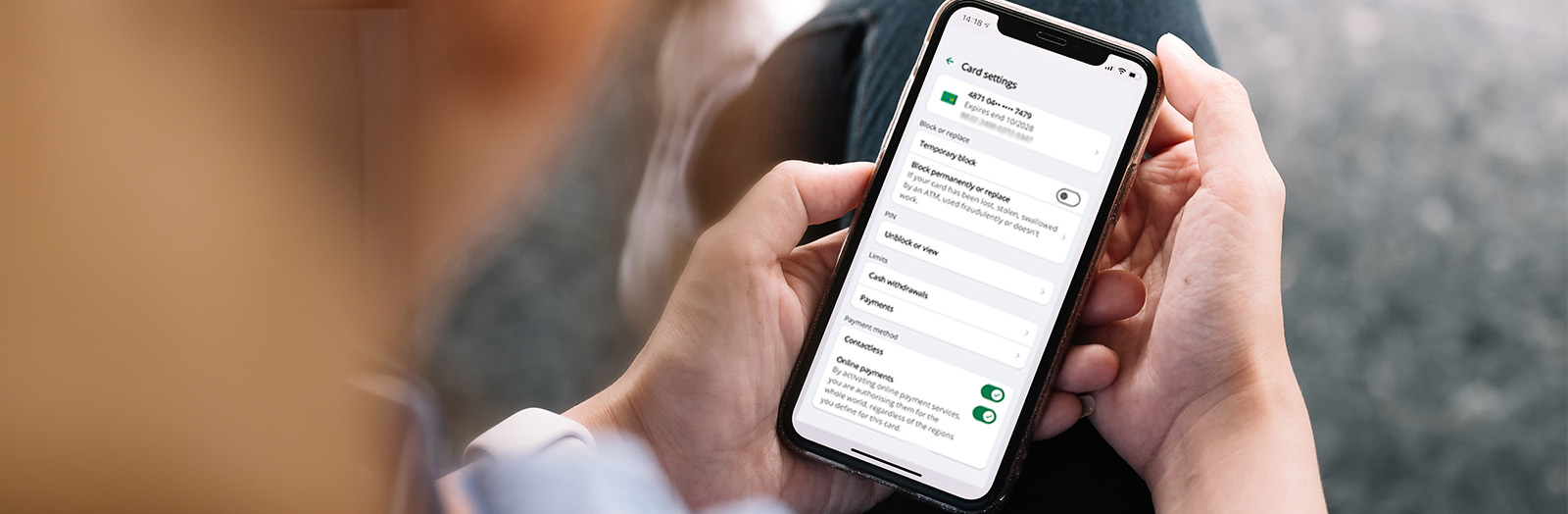
Where can you find your debit card settings?
Your card settings include usage options such as payment and withdrawal limits, activation and deactivation of online payments, contactless payments and use abroad, as well as unblocking your PIN code.
Easy Banking App
- My services > Accounts and cards > Cards.
- Select the debit card. You will be taken to a screen showing all the settings you can manage directly in the app.
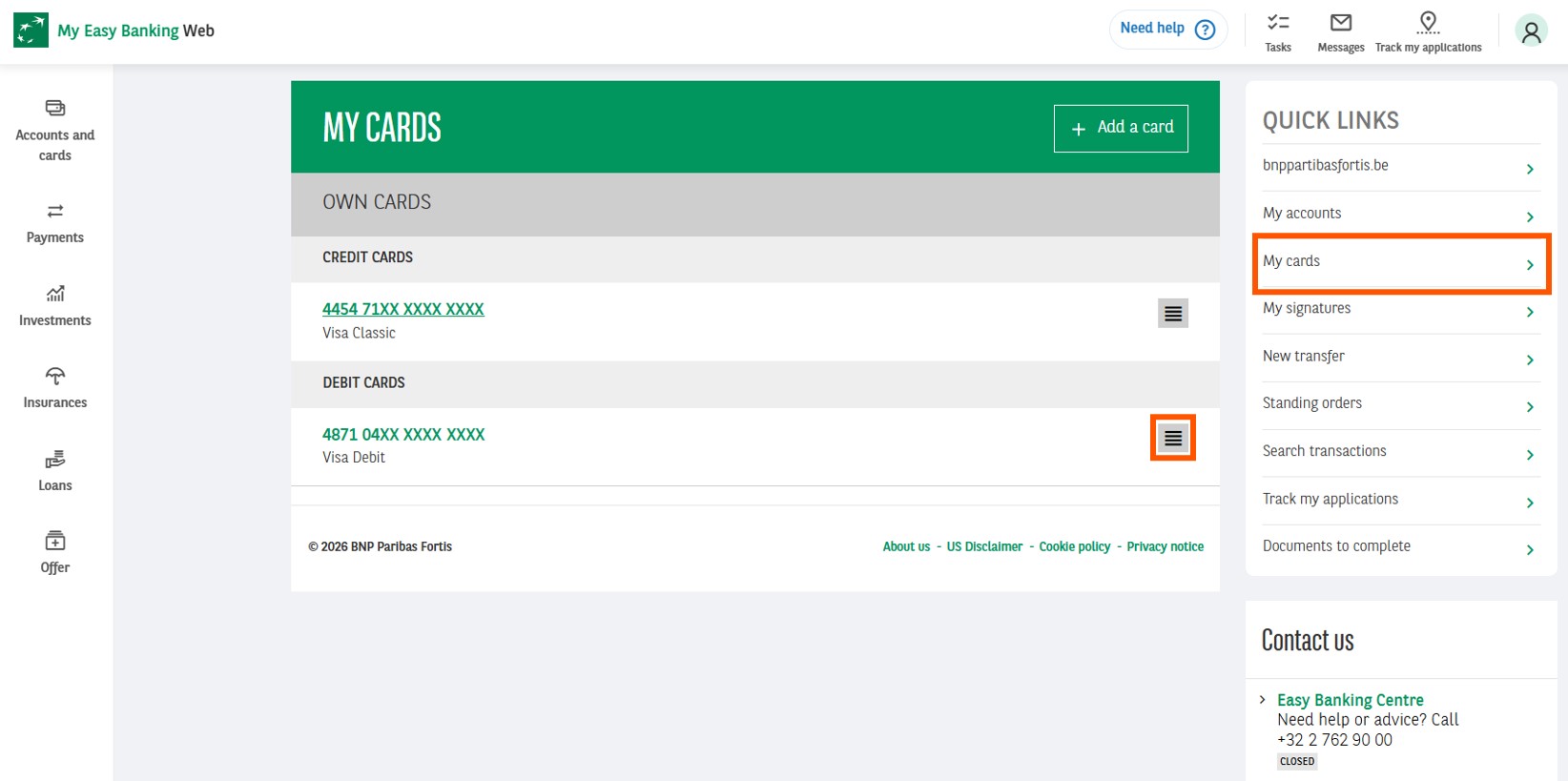
Easy Banking Web
- My cards > Debit cards >

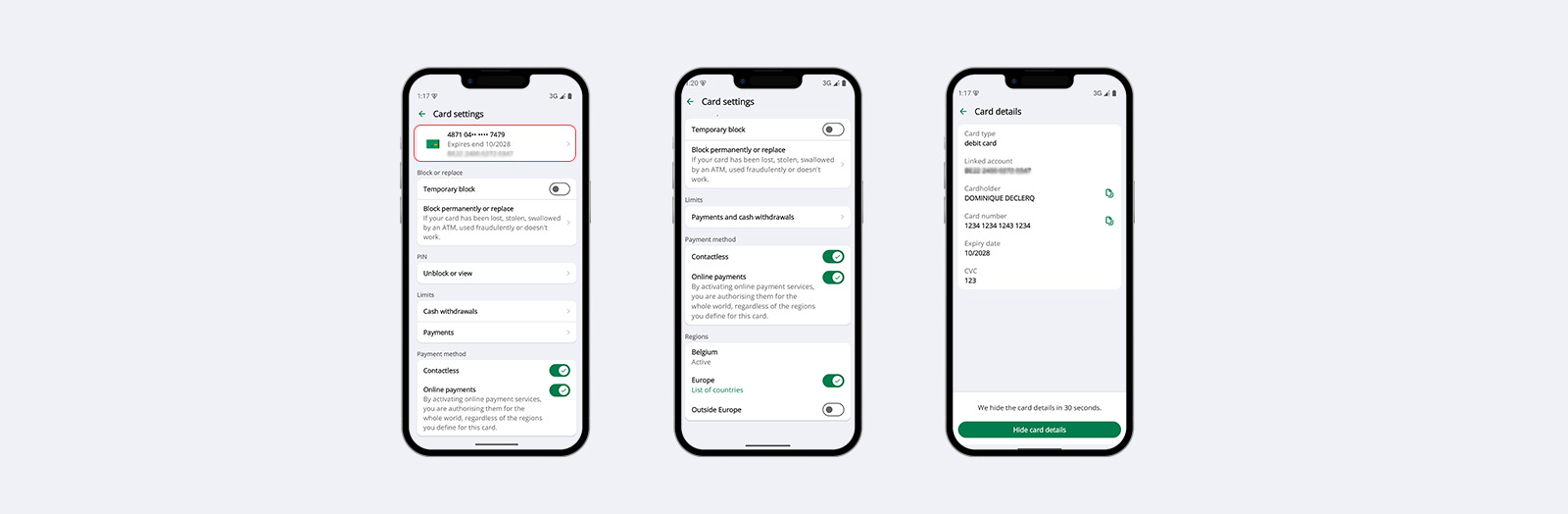
How can you access your debit card details?
Card details include the card number and linked account number, the cardholder’s name, the expiry date and the CVV code.
Easy Banking app
- My services > Accounts and cards > Debit card.
- Click on the card to view more details, including the option to display your card number and CVV code. Entering your secret code further enhances transaction security. This allows you, for example in the event of a replacement, to make online payments and in-store payments via mobile payment solutions while waiting for your physical card to arrive.
Easy Banking Web
- My cards > Debit cards > > Details.
- You can view your card details as well as the associated services and limits.
How can you block or unblock your debit card?
If you have lost your card or suspect fraudulent use, you can block it temporarily or permanently.
Easy Banking App
- My services > Accounts and cards > Cards.
- Select the debit card.
- Click on 'Temporarily block' or 'Permanently block or replace' and select the reason. You can then immediately choose your new PIN. If you replace your card, you will have immediate access to the digital version.
Easy Banking Web
- My cards > Debit cards > > Edit.
- Click on 'Card settings'. You can temporarily block or unblock the card.
How do you manage your debit card PIN code?
To view or unblock your PIN code, go exclusively to Easy Banking App. For security reasons, you will be asked to enter your Easy Banking App code when viewing your PIN. This is the best solution if ever you have forgotten your PIN.
Easy Banking App
- My services > Accounts and cards > Cards > PIN code > View or unblock.
How do you activate or deactivate contactless and online payments?
You can personalise your payment preferences by selecting or deselecting the online and contactless payment options, depending on your needs.
Easy Banking App
- My services > Accounts and cards > Cards.
- Select the debit card.
Easy Banking Web
- My cards > Debit cards > > Edit > Card settings.
How can you view and change your withdrawal and payment limits?
Easy Banking App
- My services > Accounts and cards > Cards.
- Select the debit card.
To view the current maximum withdrawal and payment limits, click on Cash withdrawal or Payment. You can temporarily change the usage limit by selecting Choose a temporary limit.
Easy Banking Web
- My cards > Debit cards > > Edit > My limits.
You can change temporary limits. By clicking on Permanent limits, you can also adjust the limits on a permanent basis.
How can you manage the use of your debit card abroad?
By default, your debit card is activated for use in Belgium only. You can choose to activate or deactivate its use in Europe and outside Europe by ticking or unticking the relevant boxes. This feature gives you control over where and how you use your debit card, thereby enhancing the security of your transactions abroad. Your withdrawal and payment limits remain the same whether you are in Belgium or abroad.
Easy Banking App
- My services > Accounts and cards > Cards.
- Select the debit card.
Easy Banking Web
- My cards > Debit cards > > Edit > Card settings.
Questions? Consult our FAQs and chat with Samy
You can consult our FAQs in Easy Banking App via Help and contact, and in Easy Banking Web via the search function at the top right of the page.
In Easy Banking App, via Help and contact, you can ask Samy, your virtual assistant, a question 24/7. Samy replies instantly and can guide you based on your question.
For security reasons, never share your codes (PIN, CVV).
How can you manage your credit card settings yourself?
Visit our credit card page to find out where to access your credit card details and how to manage its settings.