How do I request a new bank guarantee?
This page is intended to guide you through the process of requesting a new bank guarantee.
Before you start
- Clarifications have been added to various details of your application. Click on the question mark next to this information to get more info.
- To sign a request for a new bank guarantee, you need at least the right to "Sign funds release" in the Credits module.
How to request a new bank guarantee?
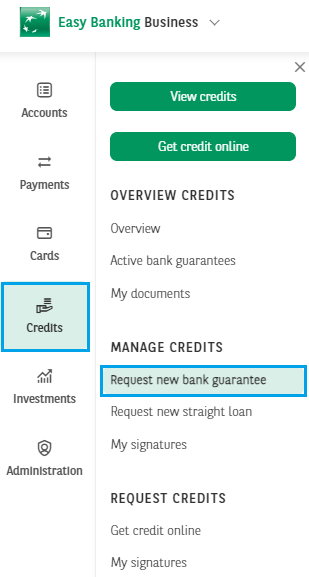
1. In the menu of the Credits module, click Request new bank guarantee to get started.
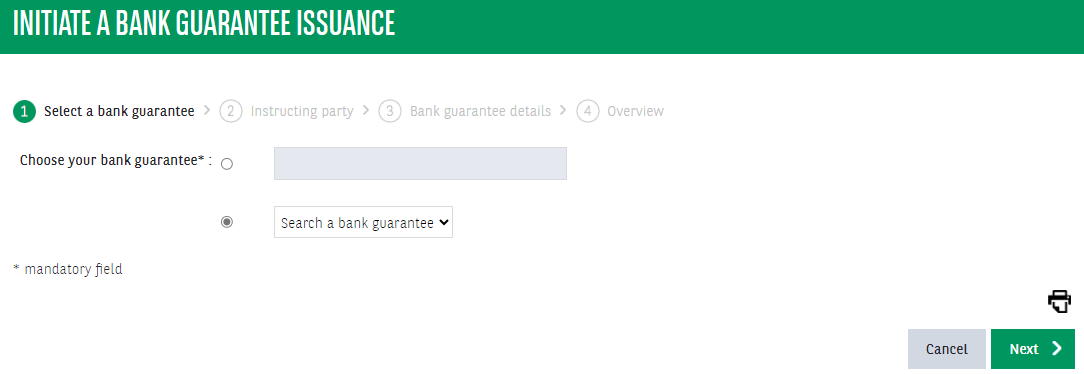
2. Choose the type of bank guarantee you need, by clicking Search a bank guarantee. Click Next when you've made the right choice
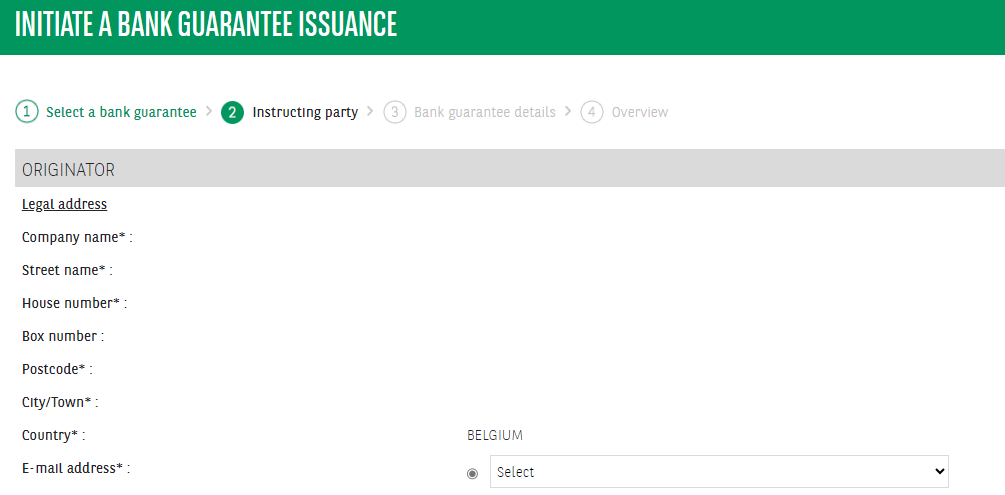
3. Complete the details of the originator and the beneficiary(ies). Enter an email address to receive a copy via email. Click Next to go to the next step.
4. Complete the details of the bank guarantee. Click on the question mark next to the data to get more info. Fill in Your reference of this bank guarantee to add your own reference that you can easily find later.
If the amount of your bank guarantee is higher than the amount available, you can proceed with the application, but the request will have to be approved by your contact person within the bank.
Choose an Requested issuance date. Your bank guarantee will take effect on this date. If you do not specify a date, the bank will issue your bank guarantee within five working days of approval.
Please note that it is not possible to enter an issuance date in the past. If the date you have chosen is within two days of the day on which the request is sent, additional costs may be charged. In that case, the bank cannot guarantee that the bank guarantee will be issued on the date requested.
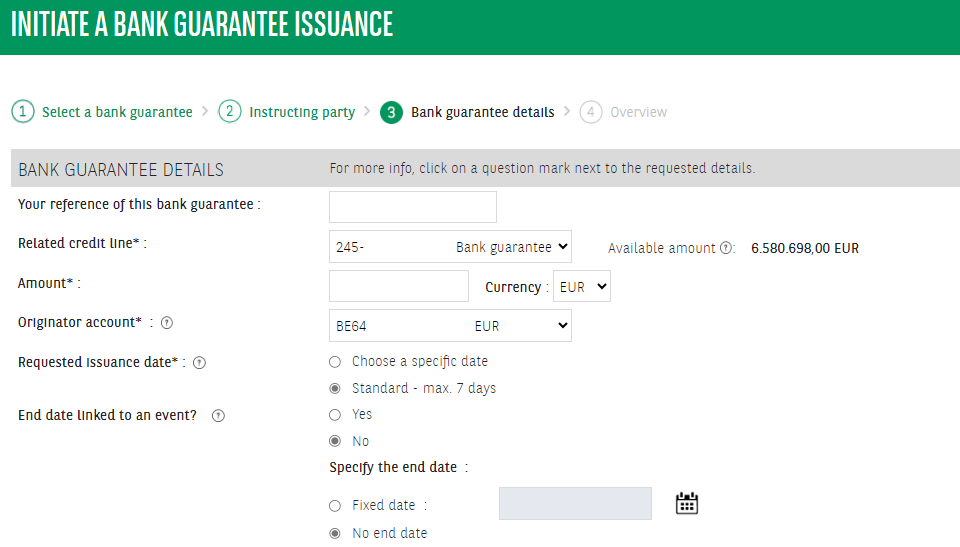
5. Complete the details of your agreement/transaction.
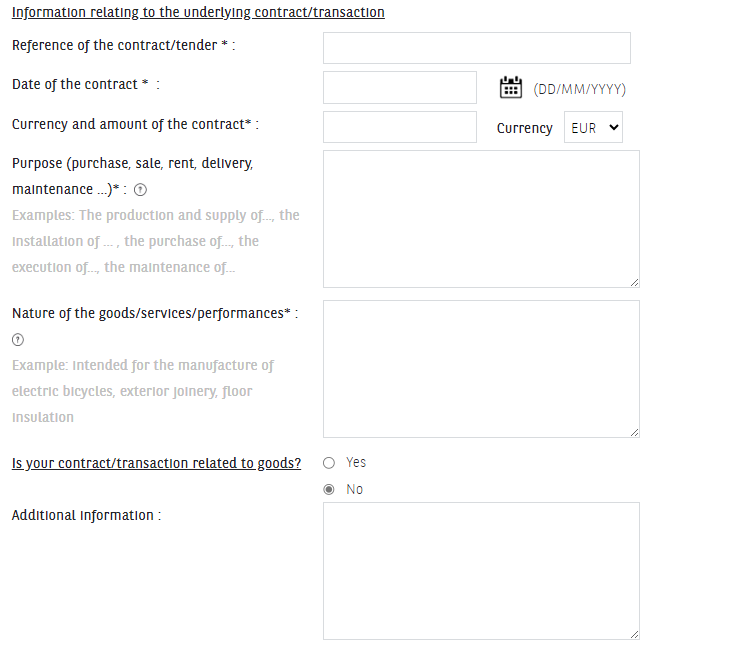
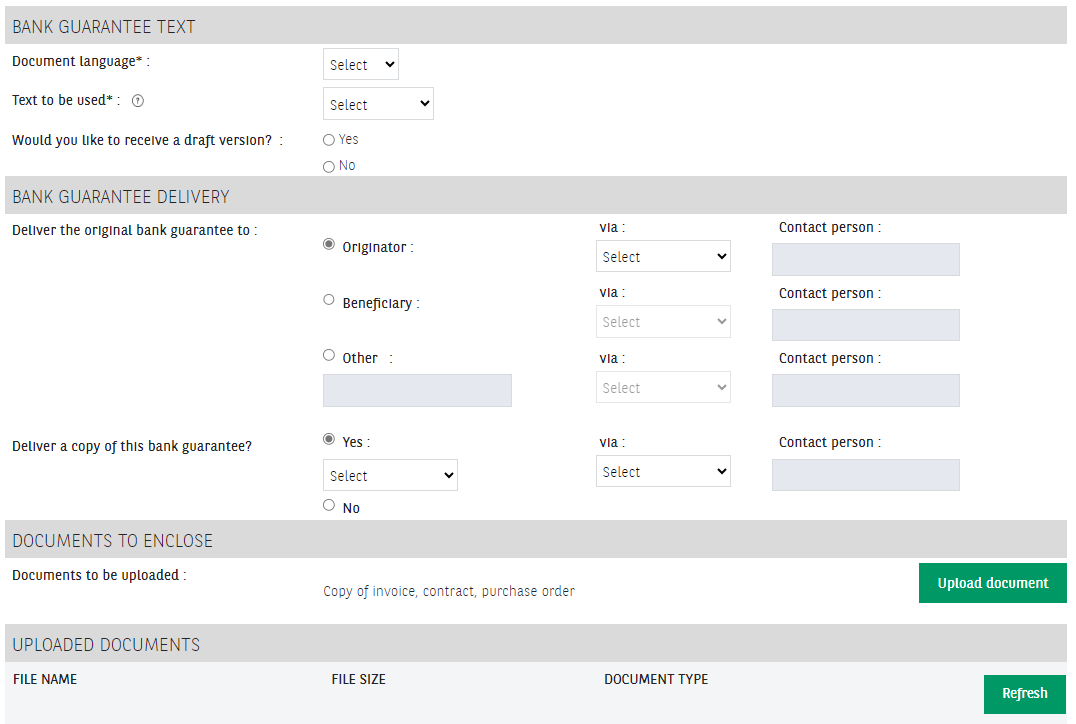
6. Choose the language of the document and the text to use. Choose whether you want to receive a preliminary design.
Choose who will receive the original bank guarantee and in what way. Choose whether you want to send a copy. Attach the requested document (for example: a rental contract, invoice,...).
The maximum size of the file can be 10 MB and only uppercase and lowercase letters are allowed to be used in the name of the document (special characters, punctuation marks and spaces are not allowed).
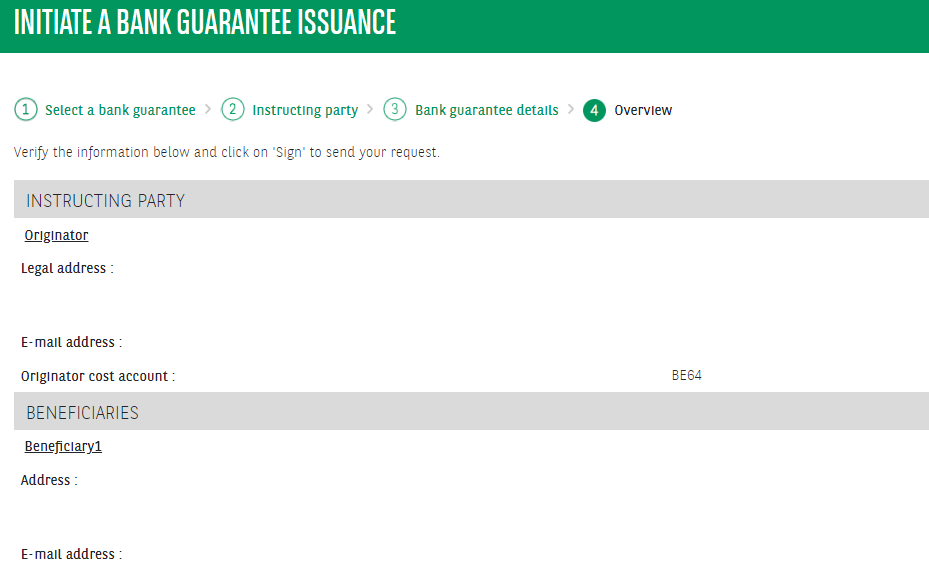
7. Please check the details of your application. Click Save to save your request and edit it later.
Click Confirm to forward the request to other users who can sign the request. Click Sign to complete and sign your request.
Your request will only be sent to the bank once your request has been fully signed.
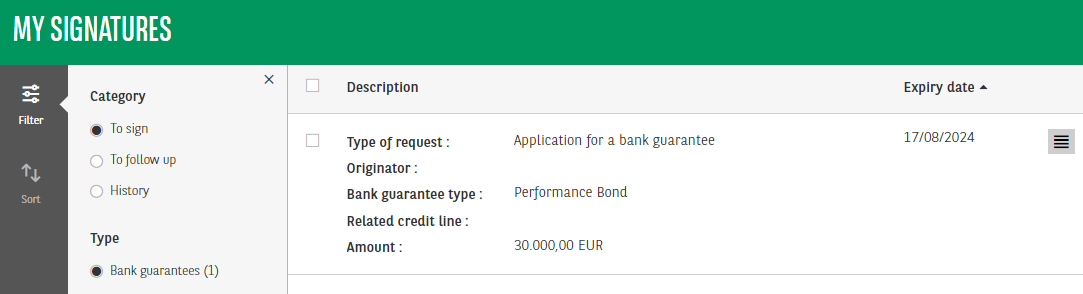
8. If other users need to sign, they will find the request in My Signatures. The expiration date visible in My Signatures is the latest date on which the application can be signed.