How do I request a bank identity statement?
The bank identity statement confirms the identity of a transfer’s beneficiary. It is immediately available via Easy Banking Business and free of charge. You can only request bank identity statements for current accounts, which you can view in Easy Banking Business.
- Connect to Easy Banking Business.
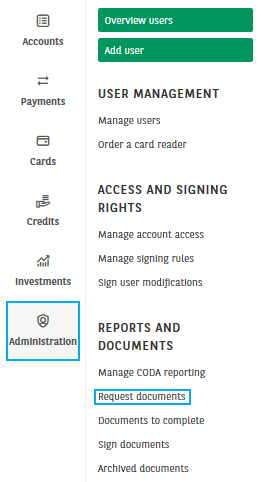
- In the menu of the module Administration, click on Request documents.
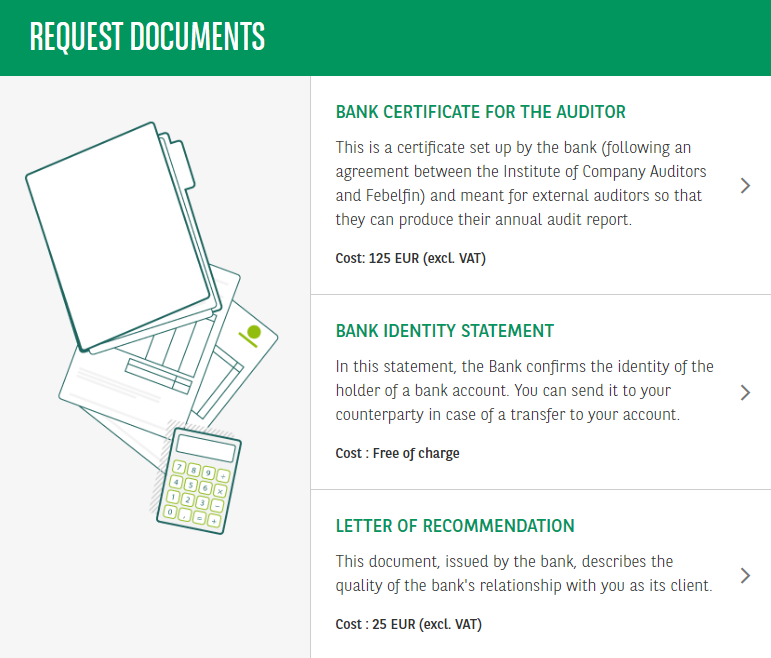
3. Click on Bank identity statement.
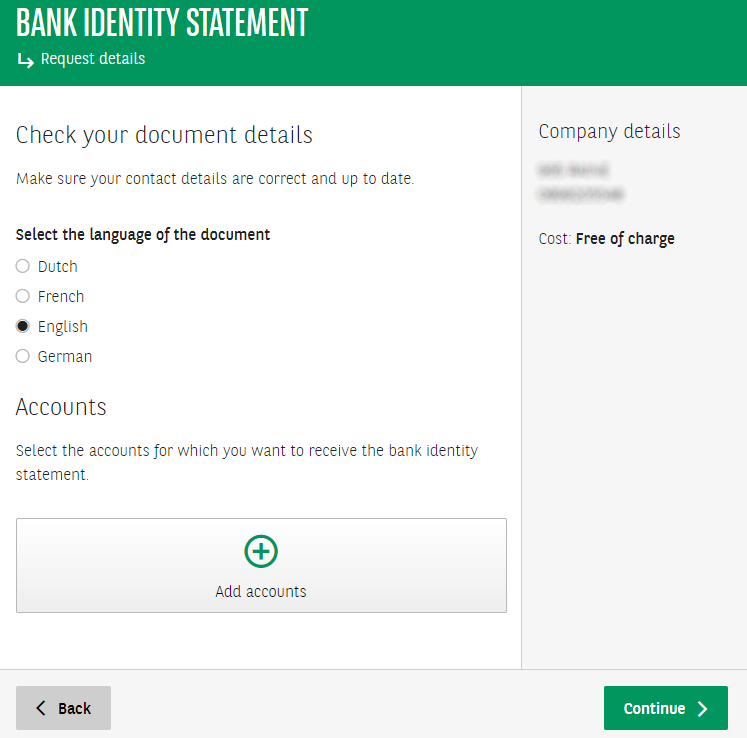
4. Choose the language of the document. Select the accounts for which you want to request the statement by clicking on Add accounts. You can select up to 20 accounts per statement. Click Continue.
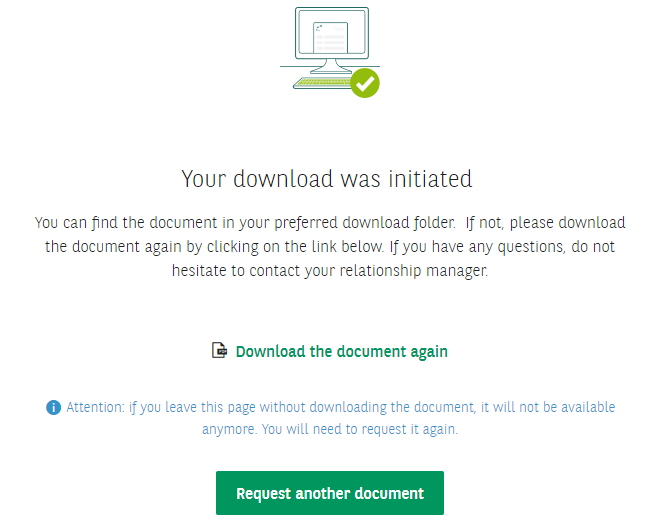
5. The statement is downloaded from your browser and is saved on your computer in the default location for downloads. If necessary, click on Download the document again. Click Request another document to request another document or on Easy Banking Business to leave Request documents.