

How do I, as a contract manager, replace an access card in Easy Banking Business?
- Connect to Easy Banking Business.
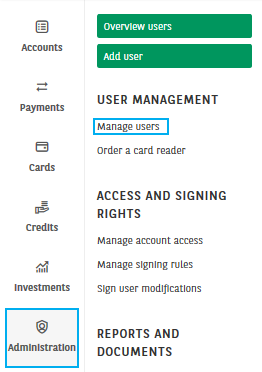
- Click on the Administration module and click on Manage users.
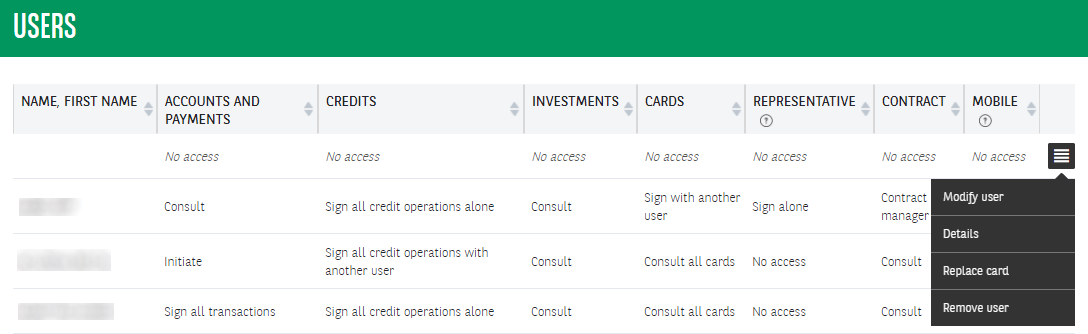
3. Select Replace card from the menu to the right of the user.
4. Complete the details of the card to be replaced and indicate the delivery method.
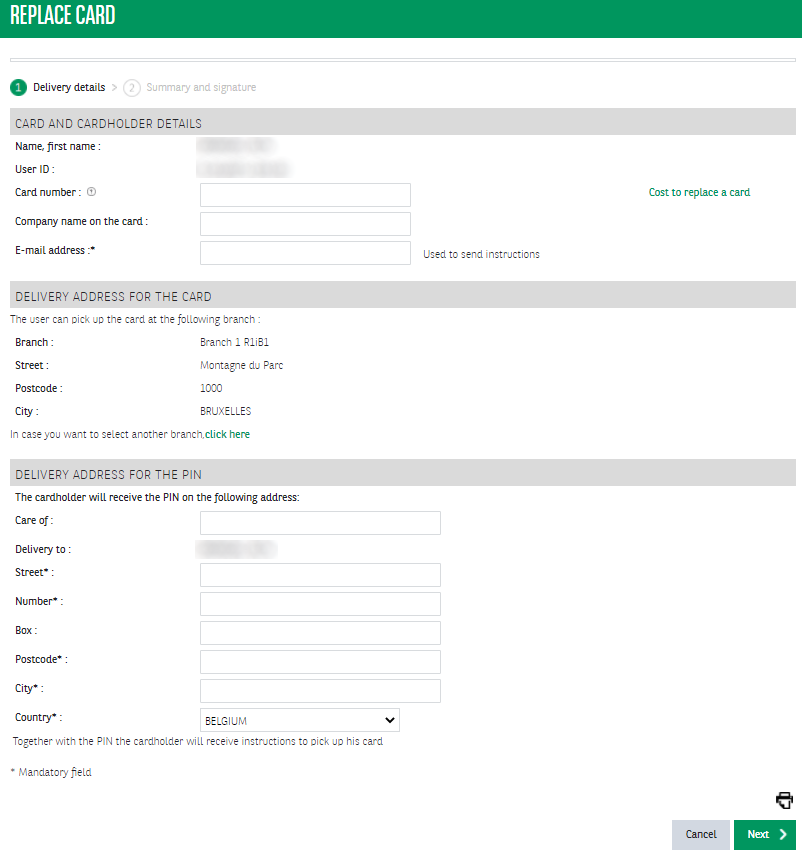 5. Check the delivery address for the card and sign the request. Once all necessary signatures have been placed, the demand will be effective.
Good to know:
- A card that you replace online will only be blocked automatically when you activate the new card.
- In Easy Banking Business, you can only replace cards originally issued by BNP Paribas Fortis or Fintro. If this is not the case, please ask your relationship manager to replace your card.
- Replacing a card will incur costs. Click on Cost to replace a card for more information.
- Contract managers cannot replace their own cards. For more information, contact your relationship manager or the helpdesk.
