

How do I manage standing orders?
This page is intended to guide you through creating, modifying, and deleting standing orders in Easy Banking Business.
Before you start :
- To create, modify, or delete standing orders, you need at least initiate rights in the Accounts and Payments module.
- To sign new standing orders, changes, or deletions, you need signing rights in the Accounts and Payments module. The signing rules in the contract apply.
- Seules les ordres permanents vers un bénéficiaire disposant d’un compte belge en EUR sont disponibles. Veuillez contacter votre votre personne de contact dans la banque pour la gestion des ordres permanents internationales.
How to create a new standing order?
1. Click on Payments and select Standing Orders
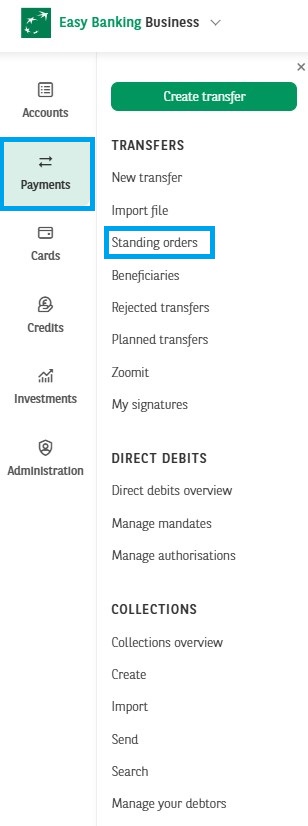
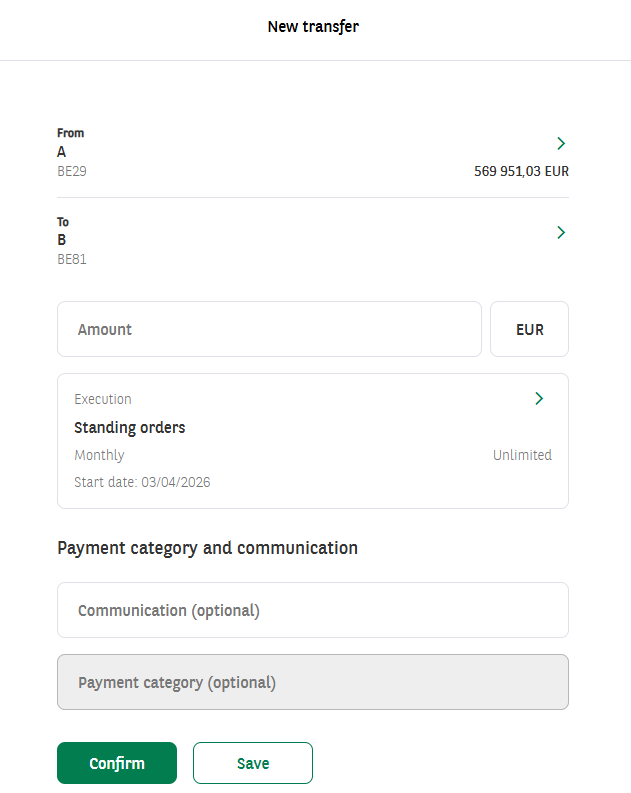
2. Click on New standing order.
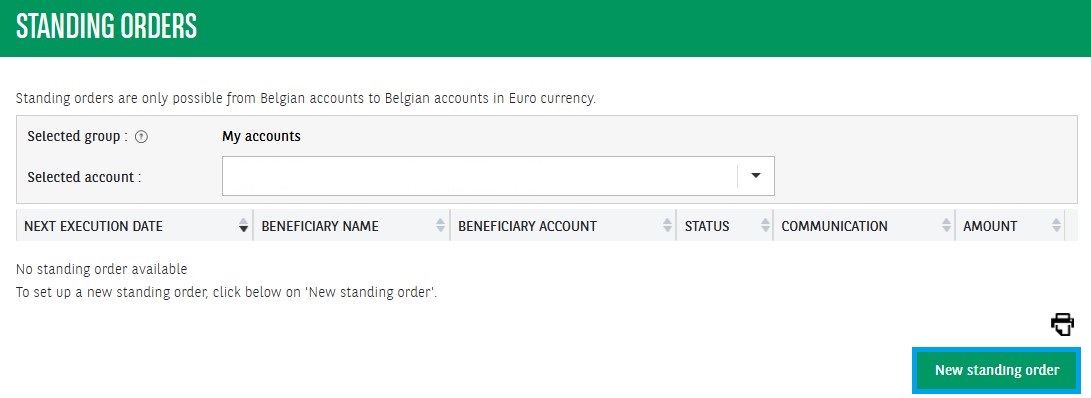
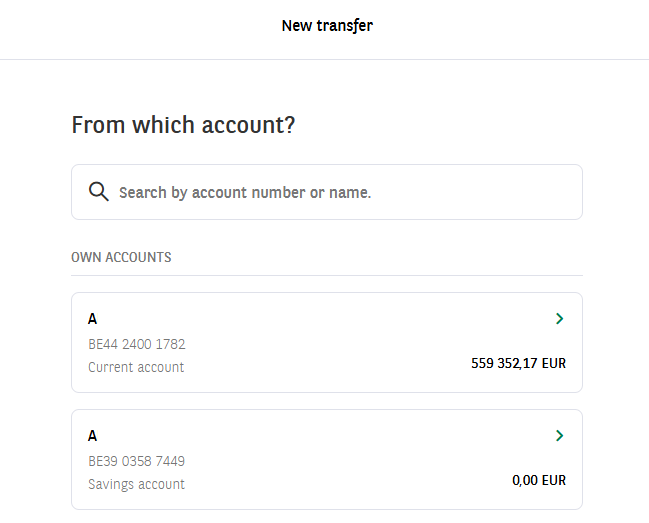
3. Select the account from which you want to transfer.
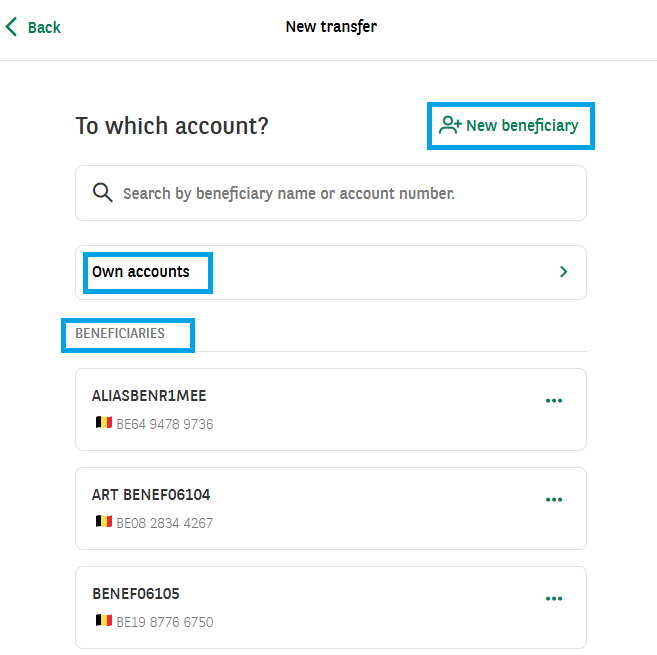
4. Choose the beneficiary’s account — this can be one of your own accounts, a saved beneficiary, or a new beneficiary.
5. Choose the amount, start date, frequency, number of transfers, and the communication. The minimum amount is EUR 2.50. Frequency can be weekly, once every 2 weeks, monthly, every 2 months, quarterly, once every 6 months, or yearly. For the number of transfers, you can choose between unlimited, a set number of executions, or an end date. For the communication, you can choose between a free or structured message. After selecting the desired options, click Save or Sign.
How to modify a standing order ?
1. Click on Payments and select Standing Orders.
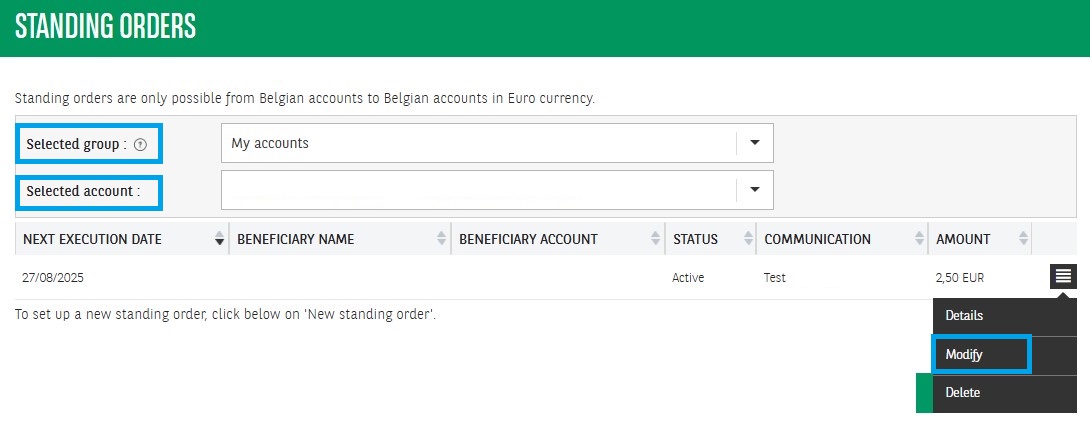
2. If applicable, select the correct group and account. Click the menu next to the standing order and click Modify.
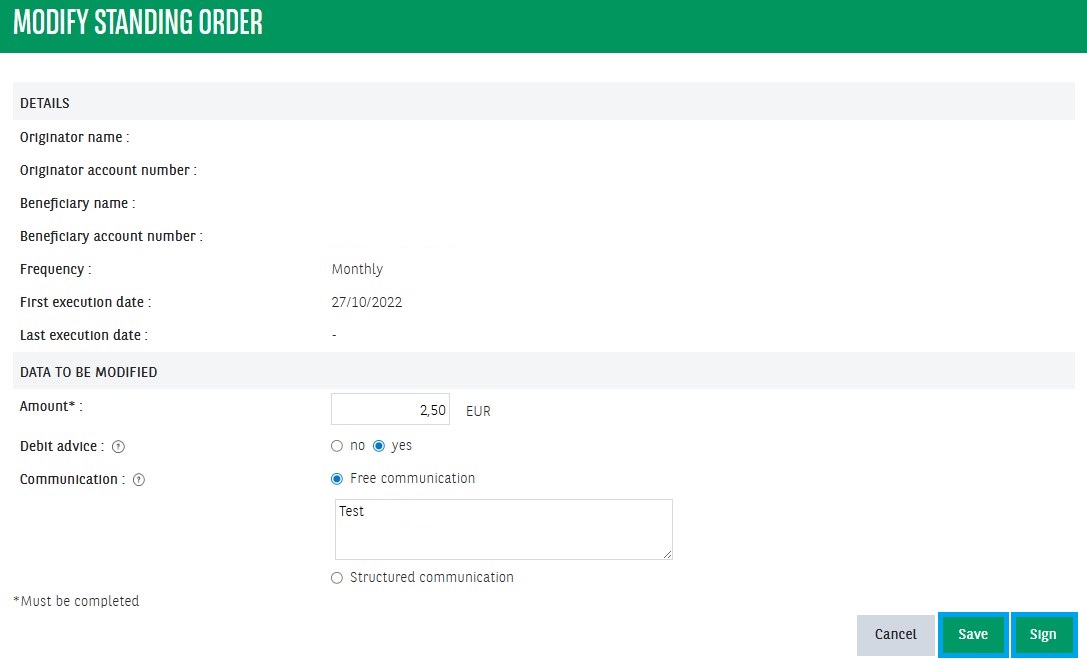
3. You can change the amount, the debit advice, and the communication. The amount can be changed, with a minimum of EUR 2.50. The debit advice can be enabled or disabled. A debit advice is an annex to your statements in which the most important data about a given transaction is stated. For the communication, you can change both the type and the content. After making the desired changes, click Save or Sign.
How to delete a standing order ?
1. Click on Payments and select Standing Orders
2. Select the correct group and account if applicable. Click the menu next to the standing order and click Delete. .
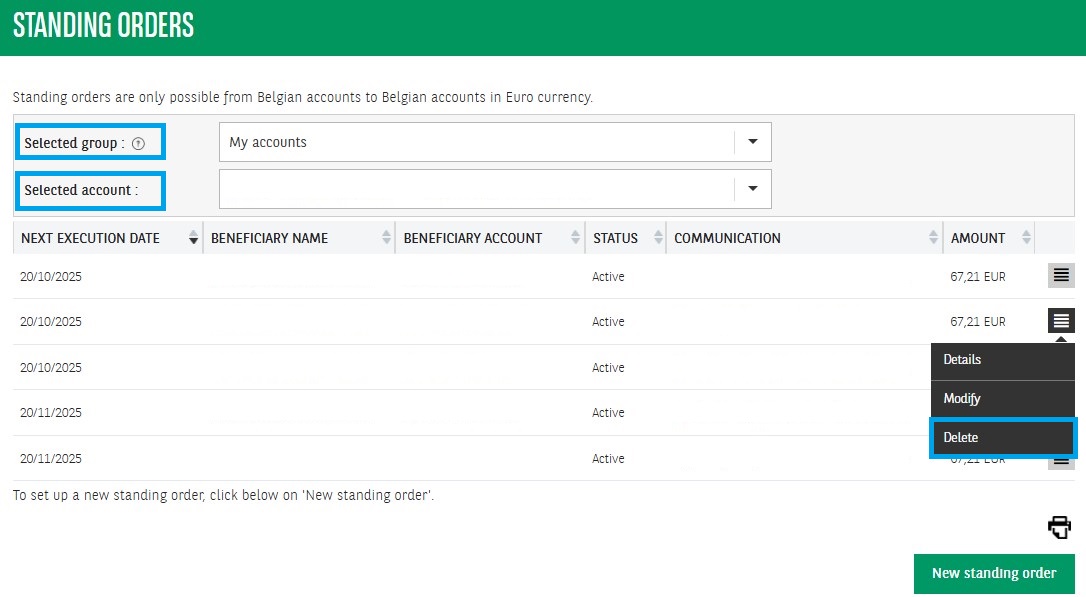
3. Click Save or Sign.