
How to copy beneficiaries to Easy Banking Business?
With these steps, you can copy your beneficiaries from Easy Banking Web to Easy Banking Business.
Before you start
- Beneficiaries in Easy Banking Web are linked to your personal account.
If you want to copy beneficiaries from multiple accounts, each user must export them separately.
- In Easy Banking Business, beneficiaries are stored per entity.
If you have access to multiple entities, you must import the beneficiaries separately for each entity.
- You can store a maximum of 1500 beneficiaries per entity in Easy Banking Business.
Step 1: export beneficiaries from Easy Banking Web
1. Log in to Easy Banking Web via via https://www.bnpparibasfortis.be/
2. In the left-hand menu, click Payments and then My beneficiaries. 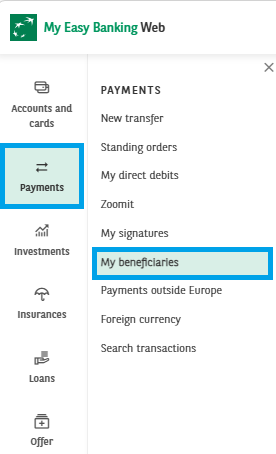
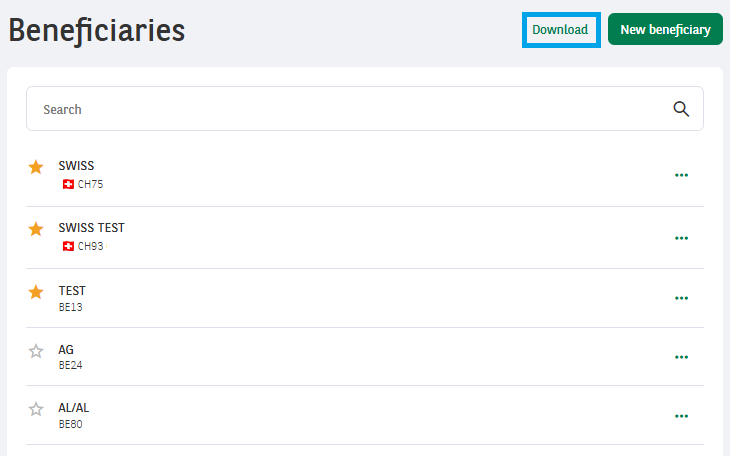
3. Click Download to download your list of beneficiaries.

Step 2: import beneficiaries into Easy Banking Business
1. Then log in to Easy Banking Business via https://www.bnpparibasfortis.be/
2. In the left-hand menu, click Payments and then Beneficiaries. 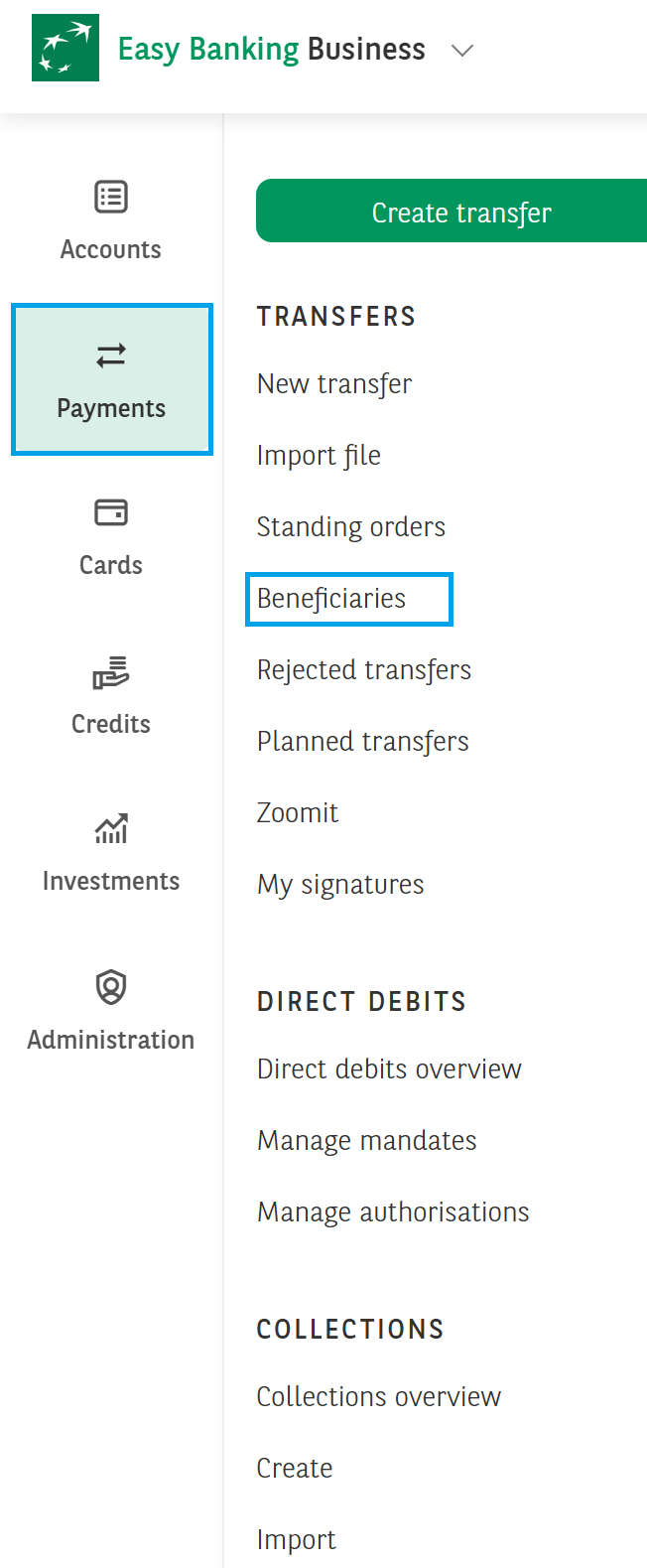
3. Click Upload. 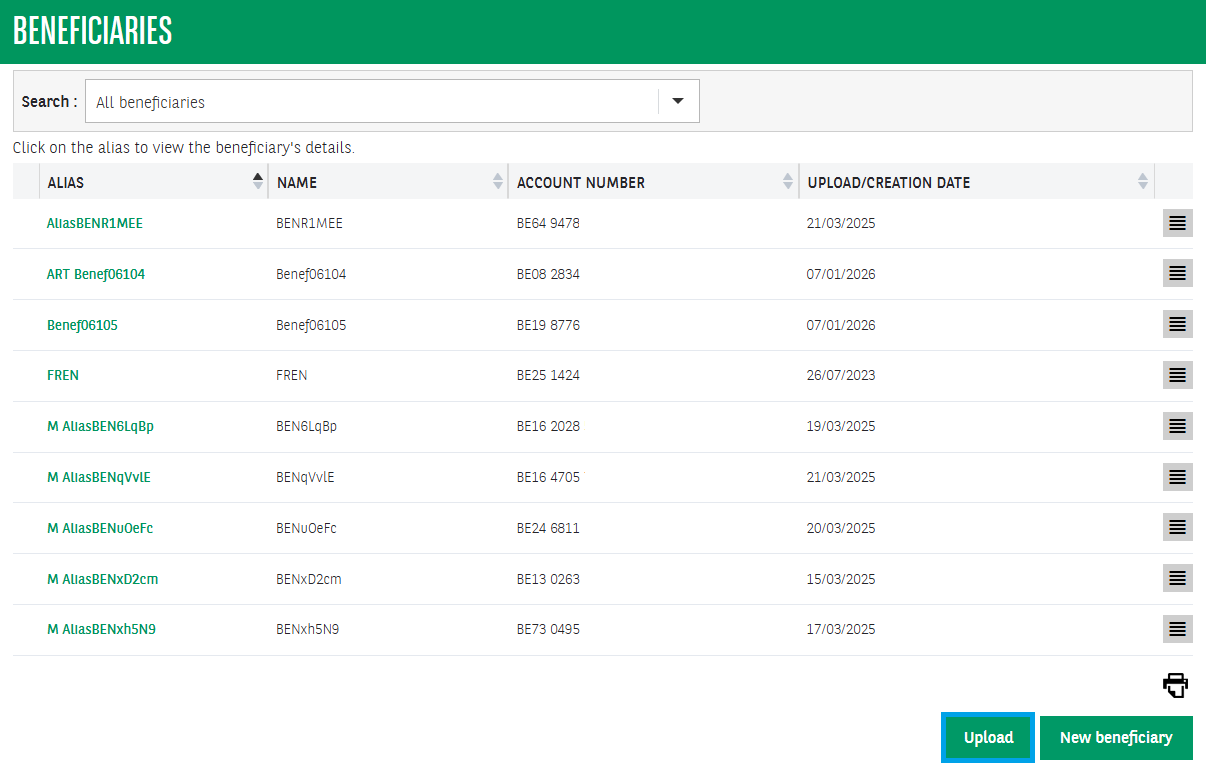
4. Click Browse and select the downloaded file. Click Import. If some beneficiaries already exist, you will be asked to remove them. 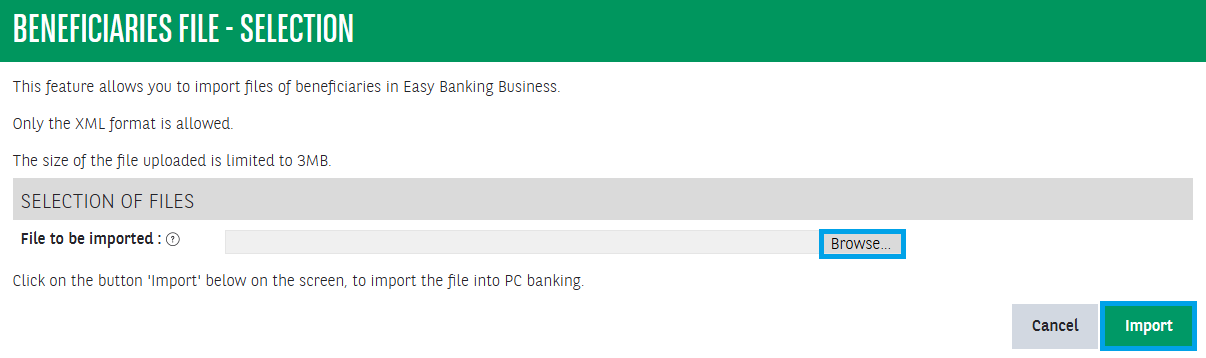
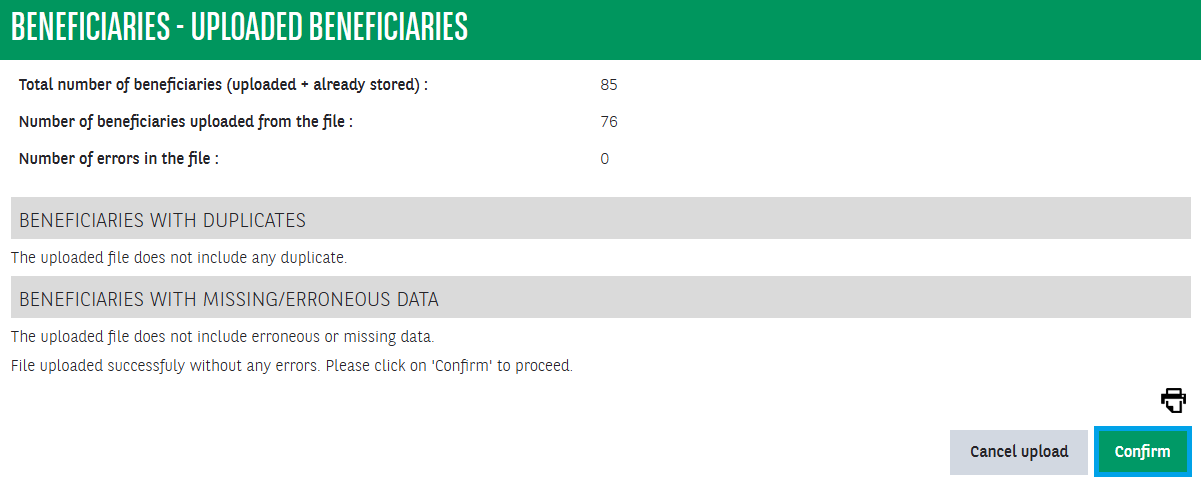
5. Click Confirm. Your beneficiaries are now added to Easy Banking Business.